In my last post, I had explained OOPs concept in Javascript. Now, I will pick one sample PR file of Siebel Open UI and try to explain its relevance with Object Oriented Programming. Please check my last post first to understand this one better. In this post, below are the well defined snapshots of a sample PR with all its…
Category: Tips and Tricks
OpenUI Architecture, Siebel Configuration, Siebel Mobility, Siebel OpenUI, Some Useful Information, Tips and Tricks
Introduction to Object Oriented Programming | JavaScript
My Guruji told me if you really want to do better in Siebel OpenUI, then you should learn Object Oriented Javascript. Usually, whatever concept or methods in Javascript I need, just GOOGLE it and got the answer. But seriously thats not enough..!!! In Siebel OpenUI, all vanilla JS files and any custom PM/PR files are purely based on Object Oriented…
Siebel OpenUI: Adding FilterToolbar in List Applet using JqGrid
Hope you guys like my last post, exploring further I got more interesting feature we can have in our Siebel List Applets with a single line of code only. For all new buddies, let me explain here that with Siebel OpenUI upgrade we have a lot of jQuery plugins used as vanilla files in Siebel. JQGrid is one of them…
Siebel Configuration, Siebel Interview Questions, Siebel Open UI, Siebel OpenUI, siebel upgrade to 8.1.1.11, Some Useful Information, Tips and Tricks
Siebel OpenUI: Hide column in List Applet using JQGRID methods
This post is related to my last post. Requirement: Hide a column permanently in a List Applet which is mandatory to expose on Applet. Possible Solutions: Check Show in List property in applet list control. By checking this, column will be not be visible but available in Column Displayed option. Check Hidden property in applet list control. Using this, control…
Siebel 8.1.1.10 Upgrade Issue, Siebel Configuration, Siebel Open UI, Siebel OpenUI, Some Useful Information, Tips and Tricks
Siebel OpenUI: Hiding a Column in List Applet
It seems to be pretty simple and may be stupid requirement but its a possiblity that you need to expose some Field on applet web layout and in same time you don’t want it to be visible. Well in OpenUI enhancements, we can access only those fields in PM/PR which are mapped in web layout of applet or you can…
How to use LinkedIn API to get its relevant data ??
Up to my last post, we have created our app on LinkedIn and able to authorize it. Now, time to hit APIs and get data. In this post, we will try to understand about LinkedIn PeopleSearch API. This is how it looks like… IN.API.PeopleSearch() .params({“first-name”:”Barack”}) .fields([“firstName”,”headline”]) .result(function(result) { alert JSON.stringify(result)) } fields() (optional) – Array {String}, Argument…
Create your first App on LinkedIn
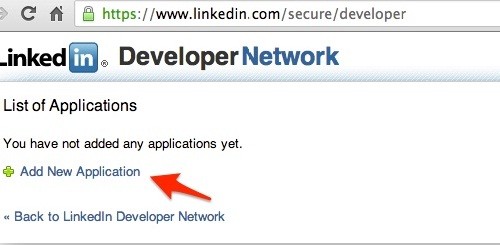
To get data from any social network, we need to register ourselves and authorize first. Same way, in LinkedIn we will create a application and register our live website to get a key. This key will later used by LinkedIn to authorize every time when we try to access its data. Let’s start in pieces… LinkedIn’ Developer page We never…
How to integrate Bootstrap in Siebel ?
I know you guys are eagerly waiting for this post, finally its here !!! Again this post talks only about Siebel Open UI (8.1.11.x) . Integrating Bootstrap is same as of integrating any jQuery plugin in siebel. So, if you have already done such integration, then it will be lot easier for you. In my last post, we disscused about files…
How Bootstrap, a big help for Siebel ?
Now, its a big question in our mind. Bootstrap is a framework dedicated for website development then how it can help our boring gaint Siebel. Well it will help to give an interesting and elegant UI to our Siebel with less code and minimum efforts. With below points, I will try to explain its help… First let me clear one…
Why Bootstrap ?
There can be multiple reasons to use this framework. Lets try to sort it out one by one: Bootstrap is the combination of CSS, jQuery and html. It provides multiple inbuild features which we can use directly in our code. Visit this link It gives its own css for all possible html widgets to make it simple and of single…